What do WhatsApp check marks mean?

WhatsApp check marks indicate what has happened to a message after you send it. They show whether your message was sent from your device, delivered to the recipient’s phone, or read. For both personal users and businesses, understanding WhatsApp check marks helps remove uncertainty and makes it easier to manage communication timing.
What message status icons mean
WhatsApp uses a simple icon system next to each message. The check marks change depending on the message status.
Single gray check mark = Message sent
A single gray check mark means your message was successfully sent from your device to WhatsApp’s servers, but it has not yet been delivered to the recipient.
This can happen when:
The recipient’s phone is turned off
The recipient has no internet connection
The recipient has not opened WhatsApp
The recipient may have blocked you (in some cases, the status may never update)

Double gray check marks = Message delivered
Double gray check marks mean the message has been delivered to the recipient’s phone or linked devices, but it has not been read.
This usually means:
The recipient has not opened the chat
The recipient saw a notification preview but did not open WhatsApp
Read receipts may be disabled

Double blue check marks = Message read
Double blue check marks mean the recipient has opened the chat and read the message.
If the message includes media (such as an image or video), blue check marks typically indicate the content has been opened.
WhatsApp check marks table overview
This table provides a quick explanation of the most common WhatsApp check marks.
What does the clock symbol mean in WhatsApp?
A clock symbol appears when WhatsApp is still attempting to send your message. This is different from a single check mark, because the message has not yet reached WhatsApp’s servers.
Common causes include:
Weak Wi-Fi or mobile signal
Temporary network disruption
Background data restrictions on the phone
WhatsApp service interruptions
Once the message is sent successfully, the clock changes into a check mark.
Why WhatsApp check marks sometimes do not change
It is common for WhatsApp check marks to stay gray for longer than expected. In many cases, this is not a technical problem.
Some reasons include:
The recipient is offline
The recipient is using WhatsApp but has not opened that chat
The recipient has disabled read receipts
The recipient has muted notifications
The message reached one linked device but not the main phone
It is also worth noting that check marks reflect message status, not whether someone has actively responded.
WhatsApp check marks in group chats
WhatsApp check marks behave differently in group conversations because messages are delivered and read by multiple participants.
Double gray check marks in groups
In a group chat, double gray check marks mean your message has been delivered to all members of the group.Double blue check marks in groups
In a group chat, double blue check marks appear only when every participant has read your message.
This means one unread message can keep the status gray even if most people in the group have already seen it.
How voice messages work compared to WhatsApp check marks
Voice messages use a microphone symbol instead of standard check marks.
Gray microphone icon
A gray microphone means the voice message has been delivered but not played.Blue microphone icon
A blue microphone means the recipient has listened to the voice message.
This is useful when voice messages are used for support conversations, service coordination, or time-sensitive communication.
Can you turn off WhatsApp read receipts?
WhatsApp allows users to disable read receipts, which prevents blue check marks from appearing in one-to-one chats.
If read receipts are turned off:
You will not see blue check marks for others
Others will not see blue check marks for you
However, WhatsApp still shows read receipts in group chats, and voice message play indicators cannot be fully disabled.
Using WhatsApp check marks in business communication
For companies using WhatsApp as a customer communication channel, WhatsApp check marks provide operational visibility that traditional SMS does not offer.
Businesses can use these message statuses to support workflows such as:
Customer service follow-ups after delivery confirmation
Appointment reminders that require confirmation of receipt
Service notifications where delivery timing matters
Two-way support conversations where response delays need context
Practical example
A customer contacts support through WhatsApp with an urgent request. The agent responds with troubleshooting steps.
If the message shows one check mark, support may assume the customer is offline.
If it shows two gray check marks, the customer received it but has not opened the chat.
If it shows two blue check marks, the customer has read the instructions and the case can be monitored for follow-up.
This makes it easier to decide whether to wait, resend, or escalate the communication.
Practical example
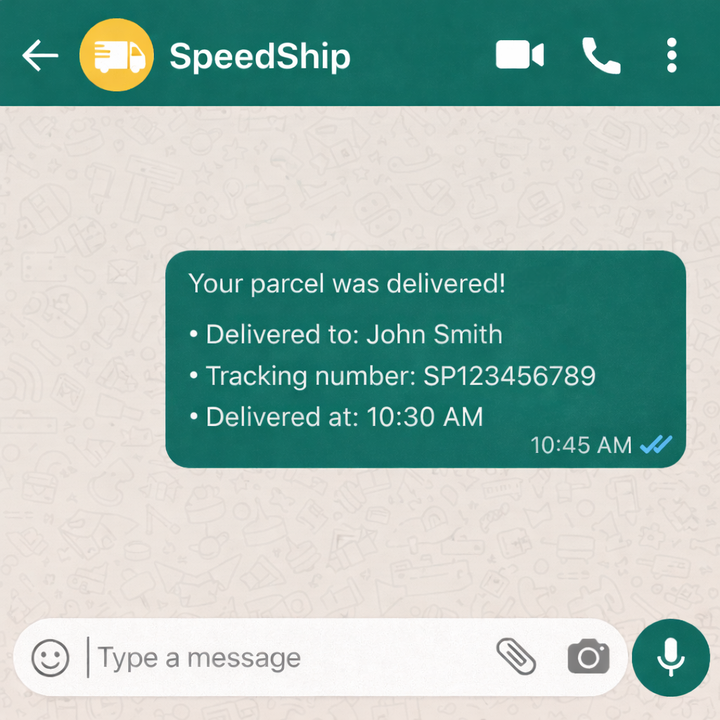
A logistics provider sends an update about a delayed delivery window.
Two gray check marks confirm the update reached the recipient’s phone.
If the message remains at one check mark, the business may need to use a fallback channel or retry later.
WhatsApp check marks and the message info screen
WhatsApp also provides a message info view that shows timestamps for when a message was delivered and read.
This is particularly relevant for organizations handling high message volumes, since it supports internal documentation of:
When a message was delivered
When it was opened
When a voice message was played
LINK Mobility as a trusted provider of WhatsApp business communication
As WhatsApp becomes an established business communication channel across Europe, companies increasingly need structured and compliant ways to use it at scale.
LINK Mobility is an approved WhatsApp Business Solution Provider (BSP), working with organizations across Europe to support professional use of WhatsApp for customer communication.
Rather than focusing on individual features, LINK Mobility’s approach is centered on enabling consistent and operationally aligned WhatsApp communication. This includes designing messaging flows that reflect customer journeys, integrating WhatsApp into existing systems, and supporting scalable use of the channel across markets as communication needs evolve.
Did you find the article and topic interesting?
If you would like to explore the subject further, discuss ideas, or understand how it could apply to your business, we are here to continue the conversation.